
AI Girl Generator
Free AI girl generator: choose hair, outfit, scene and style and get a woman who doesn't exist. Your first image is free, no sign-up.
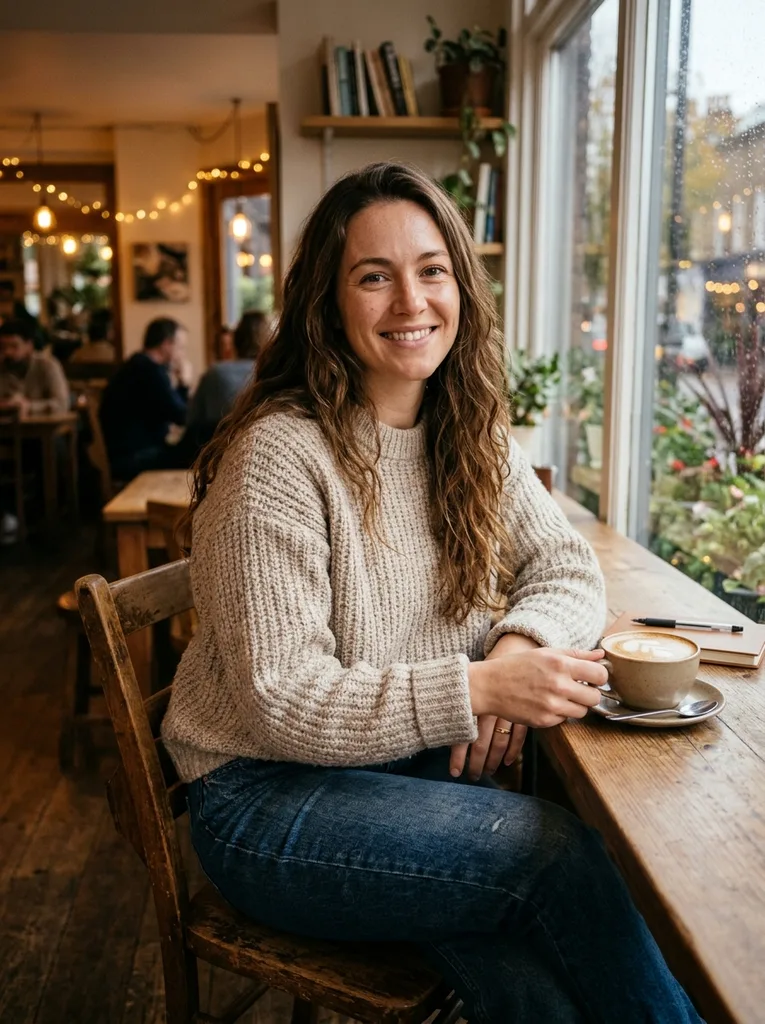
Example result. Pick your options to make yours.
Examples
Create an AI woman in realistic or anime style
Build her from menus, add a note if you want more.
This AI girl generator makes one image of an original adult woman who does not exist. You choose her hair from six looks, her outfit from six, her scene from five and the style: a realistic photo or a polished anime illustration.
A note box called Describe her takes up to 300 characters, for details the menus lack: green eyes, freckles, reading a book. Pick a square, 3:4 or 9:16 frame, then download the result.
There is no upload and no account, so it also works as a quick way to try looks before you commit to one. It suits writers and game designers who need a face for a character, artists who want an outfit or pose reference, and anyone building a moodboard.
Made for
- Writers
- Game designers
- Illustrators
- Moodboard makers
- Story roleplayers
Why this AI girl generator gives you control
Four menus, 360 combinations
Six hair looks, six outfits, five scenes and two styles give 360 combinations before you add a word. The note box covers the rest, up to 300 characters, so Pastel pink hair in a Winter coat is two clicks, and a bob haircut is two words in Describe her.
Always an adult, always dressed
Every image shows an adult woman in her mid-20s. Outfits are fully clothed and non-revealing. Prompts that ask for nudity, minors or a celebrity are refused before anything is generated, so you never spend the free image on a blocked request.
Free means one image, stated plainly
Your first image is free with no sign-up and no credit card. The allowance is one image for the whole site, not one per page, and there are no credits or plans to buy today.
Realistic or anime, same controls
Switch Style between Realistic and Anime and keep the same hair, outfit and scene. Realistic aims at a photo with natural light and real skin texture. Anime gives clean linework and soft shading. Decide which fits your project before you use the free image.
How to use the AI girl generator in three steps
No upload and no account. You only choose and click.
- 1
Pick her look
Choose a hair look such as Long brunette or Pastel pink, an outfit such as Cozy knit or Winter coat, and a scene such as Cafe or City street. The defaults give a brunette in a knit sweater in a cafe.
- 2
Choose the style and add a note
Select Realistic or Anime. In Describe her, add details like freckles or a book in her hands, then set the frame to 1:1, 3:4 or 9:16.
- 3
Generate and download
Click Generate Girl. Your first image is free, so settle the menus first. When the image appears, look at the face and hands, then press Download. Further images need the free allowance, which this site gives once.