
Realistic AI Image Generator
Turn a description or a drawing into a photo-like image with this realistic AI image generator. Your first image is free, no sign-up.
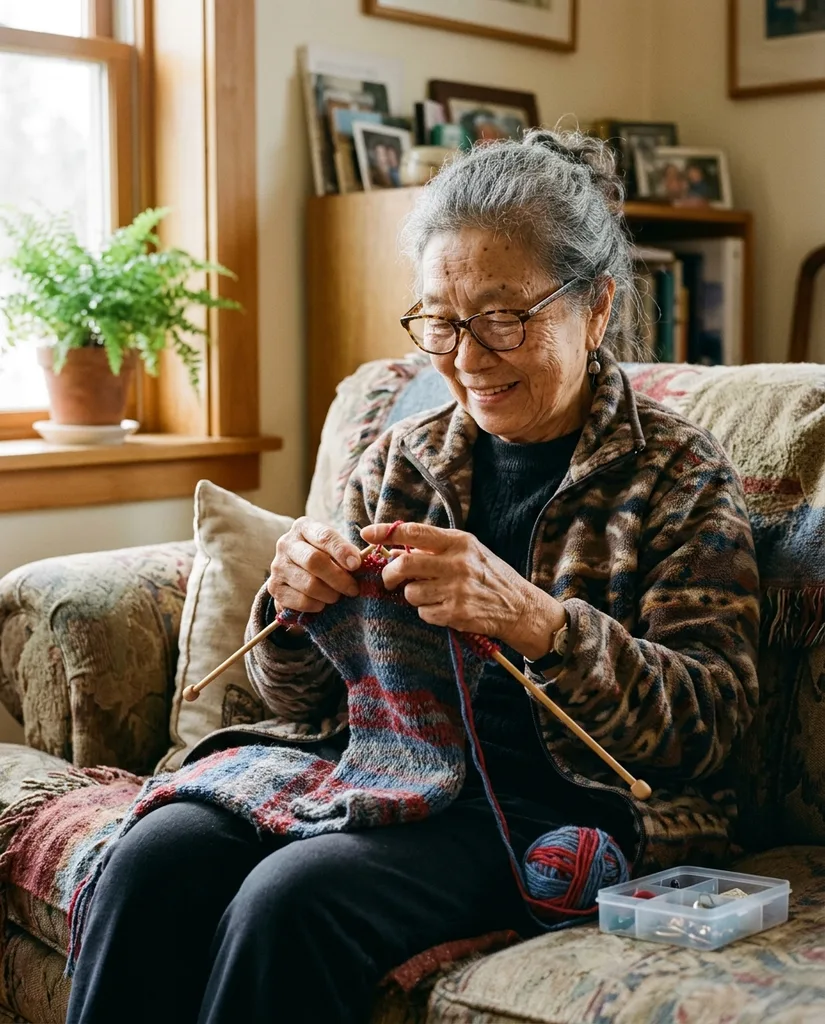
Example result. Describe your image to make yours.
Examples
What this realistic AI image generator makes
Describe a scene in plain words and get one image that reads as a photograph. The aim is natural light, real skin texture and believable fabric. People are the main use, but a street, a dog or a kitchen works too.
You can also upload a drawing, a 3D render or an AI picture and have it redone as a real photo. Pick one of five realism styles, from documentary to phone snapshot, and one of five shapes, from square to 16:9. Any people in the image are fictional adults.
Made for
- Social media posts
- Blog images
- Mockups and concepts
- Moodboards
- Drawings to photos
- Character art made real
Why this realistic AI image generator looks less like AI
Five realism styles
Documentary, Portrait, Street, Film photo and Phone photo each change how the image is shot. Documentary suits honest, unposed scenes: in our test it turned an elderly woman knitting by a window into a natural-looking photo.
A style built for plain snapshots
Phone photo aims for an ordinary picture with slightly imperfect framing and natural light. Choose it when a perfect composition would look staged.
Start from your own picture
Upload one drawing, render or AI image and describe the result. It is recreated as a photograph and aims to keep the subject, composition and colors.
Five shapes, chosen up front
Pick 1:1, 4:5, 3:4, 9:16 or 16:9 before you generate, so the finished image fits your feed, story or banner without cropping.
Free first image, no watermark
Your first image is free with no sign-up and no credit card. The download carries no watermark. People are always fictional adults, dressed decently.
Get more from your one free image
- Name the subject, the place and where the light comes from, such as a baker in a small shop with low morning sun through the window.
- Pick the Realism style first. It sets the photographic look, so describe the scene instead of piling on quality words.
- Choose the aspect ratio for where the image will go: 16:9 for banners, 9:16 for stories, 4:5 for feeds.
- Add one ordinary detail, such as a worn sleeve, a stray hair or a cluttered shelf. Spotless scenes look staged.
- With an upload, keep the description short and say what to keep, for example the composition and colors.
- Leave out children, school uniforms, celebrity names and revealing clothes. Those prompts are refused.
- You get one free image, so read your description once before you click.
- Check hands, teeth, small text and the background in the result before you use it. It is AI output.
What makes an AI image look like a photograph
People judge a photo by small things: skin with pores instead of a glaze, light that falls from one direction, and a little mess such as a flyaway hair or a creased sleeve.
Smooth skin, an orange cast over every indoor scene and flawless symmetry are what give an AI image away. This tool aims for the first list, not the second. Where you can, ask for the mess in your description.
Turn a drawing or an AI image into a photo
Upload one image and describe it in a line. The tool recreates it as a photograph and aims to keep the subject, composition and colors. A drawing, a 3D render or an AI picture can all be the starting point.
This realistic AI image generator takes JPG, PNG, WebP or HEIC up to 10 MB. This makes a new image rather than retouching your file, so compare the result with the original: faces and small details can differ.