
AI Man
Make an AI man: pick his age, hair, beard and outfit and get a realistic photo of a man who doesn't exist.
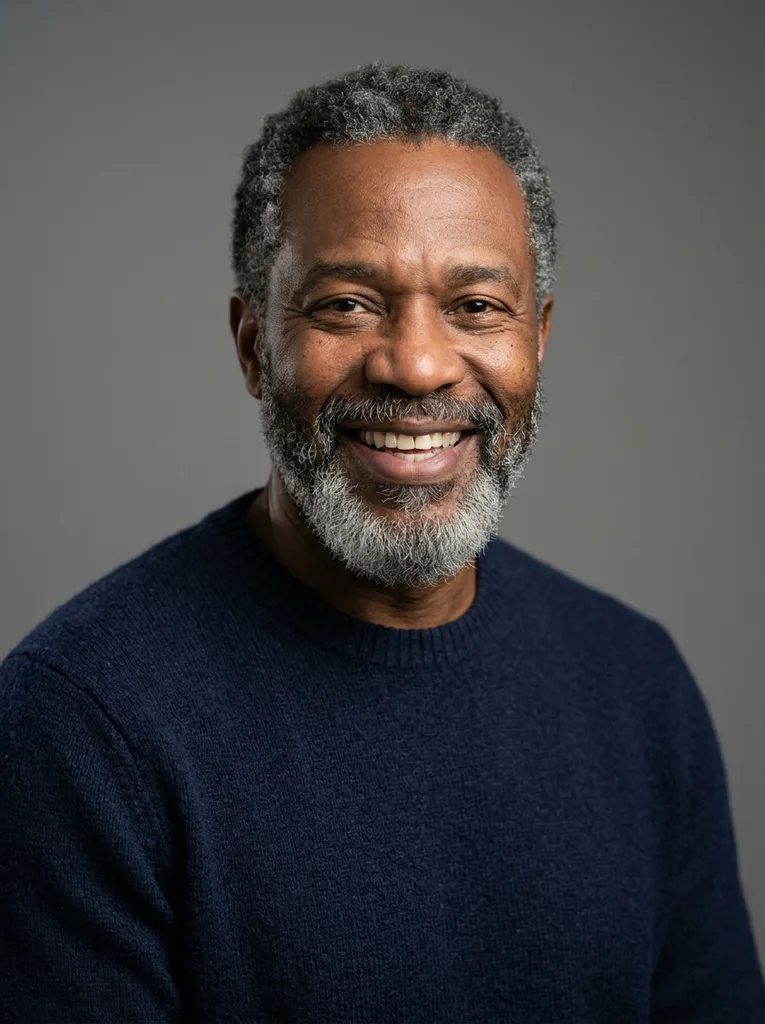
Example result. Pick your options to make yours.
Examples
How to Make an AI Man in Three Steps
Six option groups do the heavy lifting, so a short description is enough.
- 1
Pick his look
Choose an age from the 20s to the 70s, then his hair, beard, build, outfit and setting. Each group has its own chips, so you can build a clean-shaven man in a suit or a bearded man in workwear. Settings range from a grey studio backdrop to a city street at golden hour.
- 2
Describe him in a few words
Add anything the chips don't cover in the Describe him box, up to 300 characters: a warm smile, laughing with friends, glasses, a scar. It is added to your request. Short and concrete beats long and vague.
- 3
Generate and download
Pick 1:1, 3:4 or 9:16 and click Generate Man. Your first image is free, with no watermark. Download it, then compare the details with what you asked for. The free allowance is one image, so choose the chips with care before you click.
What This AI Man Generator Makes
This AI man generator makes a photo of an adult man who does not exist. You choose his age, hair, beard, build, outfit and setting, and the picture is made from text alone.
It does not need a photo of you, and it is not a filter that turns your selfie into a male version. Nothing you upload is involved, so the result is a new face each time.
In our test run, the default choices gave a man in his 50s with a grey beard, a navy sweater and a plain grey studio backdrop.
The man is always an adult, shown head and upper body, and fully clothed in everyday clothes. That keeps the images safe for work and easy to drop into a slide, a mockup or a story.
Made for
- Writers
- Game designers
- Illustrators
- UX designers
- Marketers
- Curious tinkerers
Uses for an AI Generated Man
Good for any project that needs a believable male face with no real person behind it.
Character reference
Give a novel, comic or tabletop character a face. Set the age and beard first, then use the image as a starting point for your own drawing or a brief for an illustrator.
Game and film concepts
Cast a character before anyone is hired. Choose a weathered man in workwear on a city street or a sharp man in a suit in an office to fit your scene.
App and website mockups
Fill a team page or a testimonial card with a placeholder portrait while the design is still a draft, then swap in the real people when they are ready.
User personas
Put a face on the typical customer in a slide deck, so the team talks about a person instead of a segment. Pick the age and outfit that match your research.
Mood boards
Create a portrait for a brand, story or campaign mood board before you commit to a shoot.
Art practice
Study how age, beard and build change a face. Choose an age and setting, then use the portrait as a drawing reference.