Create realistic people who don’t exist, freeGenerate a Person

Your photo

For the best result
  • Photos of yourself only (or of someone who agreed), face clearly visible
  • 1 to 3 recent photos of the same person; more angles keep the face closer
  • Even light, no sunglasses or heavy filters
  • Adults only: no photos of children, and no school uniforms

Selfie scene

0/200
Aspect ratio

AI Selfie Generator

Use this AI selfie generator: upload a photo of yourself, pick a place, and get a new selfie that looks like you. Your first one is free.
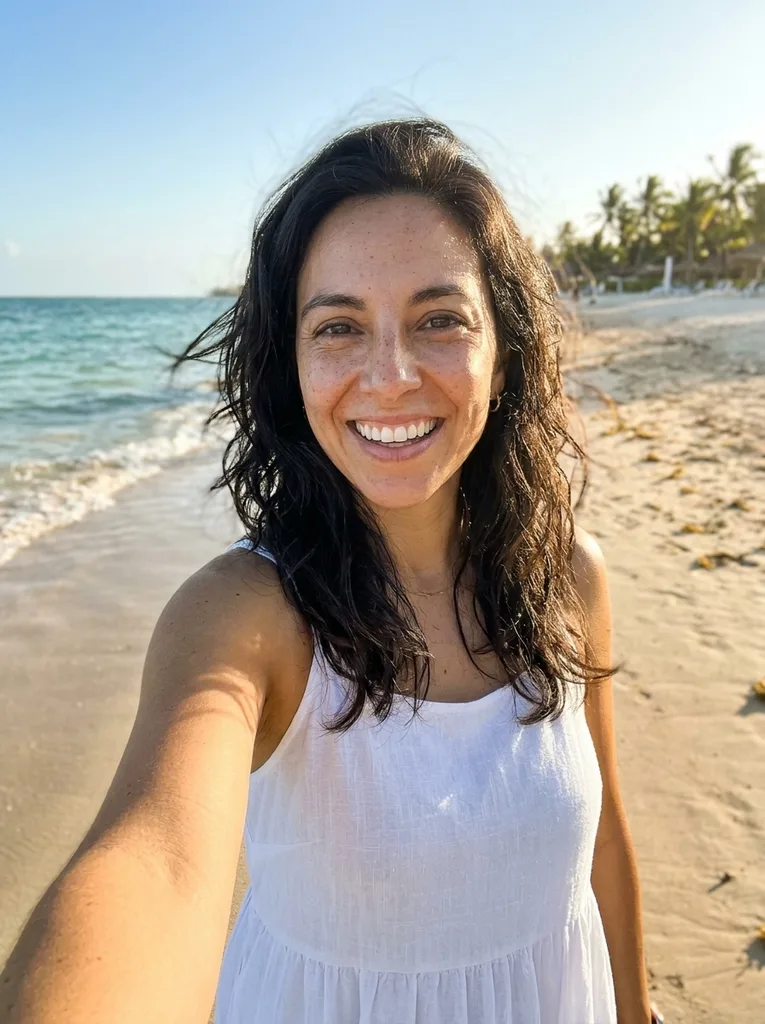
Original: AI Selfie Generator: the same woman in a new beach selfieBefore
AI Selfie Generator result: AI Selfie Generator: the same woman in a new beach selfieAfter

Example result. Upload your photo to make yours.

Examples

Original: AI Selfie Generator: the same woman in a new beach selfieBefore
AI Selfie Generator result: AI Selfie Generator: the same woman in a new beach selfieAfter

Photos that give the best AI selfie generator result

A few seconds of care before you upload decide how close the result looks to you.

  • Upload one to three recent photos of yourself, with your face clearly visible and not cropped at the chin or forehead.
  • Add more than one angle (straight on, a little to the left, a little to the right); more angles keep the face closer.
  • Use even daylight and take off sunglasses or a hat that shades the eyes; skip heavy filters and beauty modes.
  • Keep every photo to the same person: your own, or an adult who agreed.
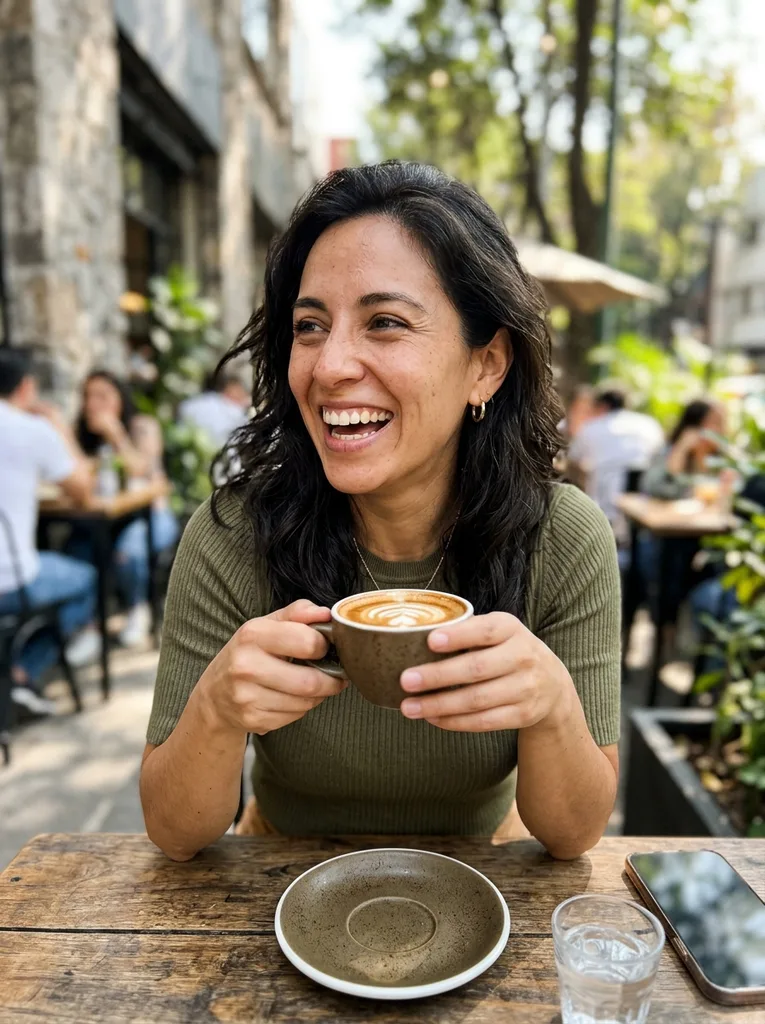
  • Pick the scene first: beach, mirror selfie, gym, cafe or travel landmark.
  • Use "Anything to change?" for one small detail, such as a red jacket or an iced coffee (up to 200 characters).
  • Choose 3:4 for a feed photo or 9:16 for a story before you click, because the first selfie is the free one.

How to use the AI selfie generator

Three steps, no account.

  1. 1

    Upload your photos

    Click the upload tile and add one to three photos of yourself. JPG, PNG, WebP and HEIC work, up to 10 MB each.

  2. 2

    Pick a scene and a format

    Choose beach, mirror selfie, gym, cafe or travel landmark, then 3:4 or 9:16. Add a short note if you want one detail changed.

  3. 3

    Generate and download

    You get one new selfie next to your original, with no watermark. Compare the face with your photo, then download it. A mirror selfie takes the same steps as a beach one.

Free AI selfie generator: what is free and what happens to photos

  • One free selfie, no sign-up

    Your first selfie is free: no account, no credit card and no watermark. The allowance is one image per visitor for the whole site, and there is no paid plan to upgrade to yet.

  • Your photos stay yours

    Your photo is only used to create your images and is never used to train AI models. Use photos of yourself, or of an adult who agreed.

  • What it will not make

    No celebrity look-alikes, no face swaps, no children and nothing revealing. Requests like that are refused before a generation is used.

  • It is AI output, so check it

    The tool aims to keep your face, skin tone and hair from your photos, but it is a likeness, not a guarantee. Compare the result with your original before you share it.

Frequently asked questions

The best one is the one that fits what you need. This tool puts your own face into a new place and gives your first selfie free, with no sign-up and no watermark. Pick it if you want a result that reads as a phone photo, not an avatar or a cartoon.

Yes, for your first selfie. You do not need an account or a card. After that single free image, the tool tells you the free tries are used up.

Not here. The free part is one selfie per visitor, with no sign-up and no watermark. There is no unlimited free use and no paid plan on this site today.

Upload one to three photos of yourself, choose a scene such as the beach or a mirror selfie, and click Generate Selfie. Then download the result. It takes no sign-up, and your first image is free.

Yes, for a face that is yours. This tool starts from your photos and builds a selfie around your own face. If you want a face that belongs to nobody, use the AI Face Generator on this site, which needs no photo.

It aims to, and in our beach test it still looked like the person. It keeps your face shape, skin tone and hair from the photos you upload, and more photos of the same person keep it closer. It can still miss, so compare it with your original.

Five scenes: beach, mirror selfie, gym, cafe and travel landmark. The travel scene puts you in front of a famous landmark on a clear day. Sizes are 3:4 for a feed post and 9:16 for a story. Each run makes one image.

It shows your reflection in a bedroom mirror, holding a phone at chest height. In our test the back of the phone faced the mirror and no phone screen showed, and the face stayed fully visible.

Yes. Type it in "Anything to change?", for example "wearing a red jacket, holding an iced coffee". The note is added to your request, up to 200 characters, and the scene you picked still applies.

No. Celebrity names, face swaps and deepfakes are refused. Upload only your own photos, or photos of an adult who agreed. The tool is for people aged 18 and over, and children's photos are not accepted.

Your free allowance is one image, so after the result the next step is Download. Choose the scene and the note carefully before you click.