Create realistic people who don’t exist, freeGenerate a Person

Your photo

For the best result
  • 1 to 5 photos of yourself (or of someone who agreed); more angles keep the face closer
  • Face clearly visible, no sunglasses or heavy filters
  • Recent photos with your current hairstyle
  • Adults only: no photos of children, and no school uniforms

Photoshoot theme

0/200
Aspect ratio

Photoshoot AI

Upload 1 to 5 photos of yourself, pick a theme, and get a photoshoot AI image that still looks like you. Your first image is free, no sign-up.
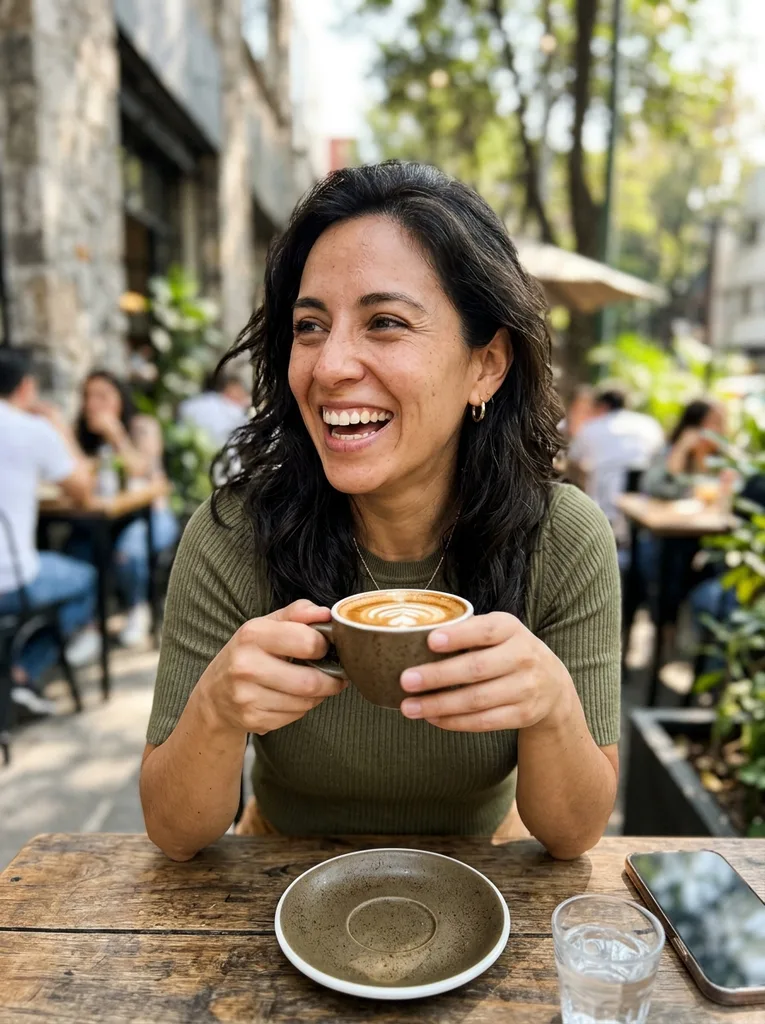
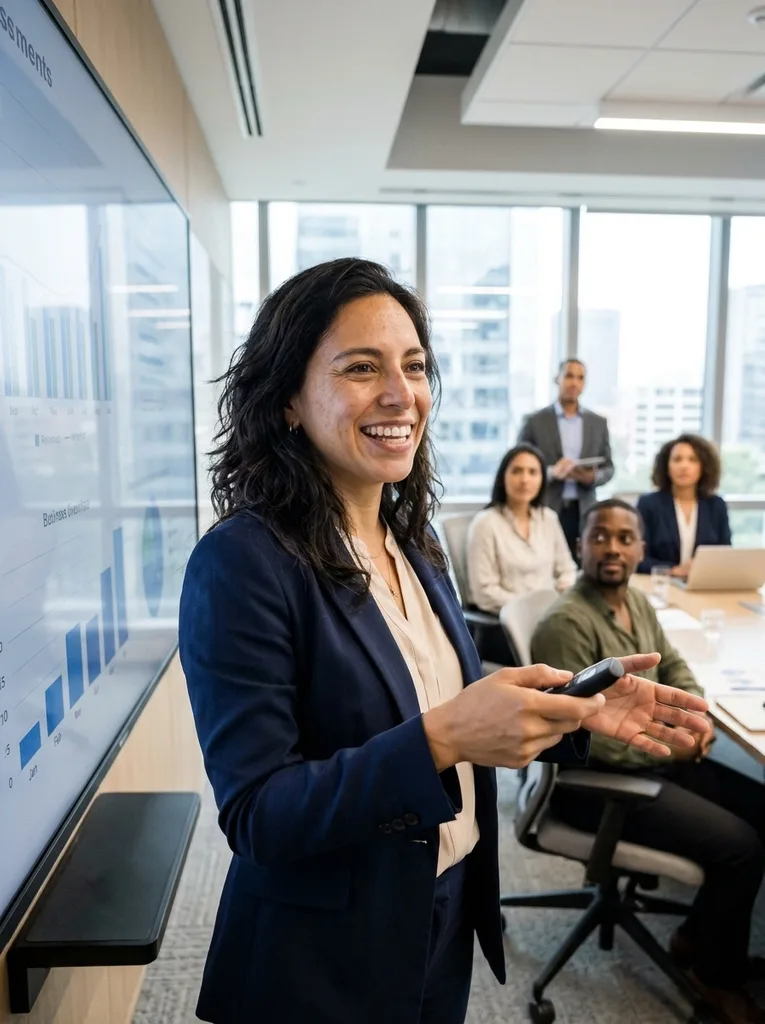
Original: AI Photoshoot: the same woman in a personal-brand photo presenting in an officeBefore
Photoshoot AI result: AI Photoshoot: the same woman in a personal-brand photo presenting in an officeAfter

Example result. Upload your photo to make yours.

Examples

Original: AI Photoshoot: the same woman in a personal-brand photo presenting in an officeBefore
Photoshoot AI result: AI Photoshoot: the same woman in a personal-brand photo presenting in an officeAfter

Photoshoot AI vs Paid Apps vs a Photographer

Which way to a photoshoot fits depends on what you need the photos for.

This toolPaid photoshoot appsA photographer
What you give it1 to 5 photos of yourselfA set of reference photosYour time on the day
WaitingOne generation, no training stepSome need a training step firstBooking, shoot day, then editing
Cost to startYour first image is freeTypically a sign-up and credits or a planTypically a booking fee
ThemesSix: personal brand, studio, fashion editorial, old money, birthday, dating profileOften a large style libraryAnything you can plan and style
Real skin and detailAI output: compare it with your photoAI output: compare it with your photoA real camera captures you as you are
Best forQuick themed shots for a profile or postBig sets and extra toolsEvents, families, work that must be exact

How to Do an AI Photoshoot in Three Steps

Photoshoot AI here needs no account and no model training: photos in, one image out.

  1. 1

    Upload 1 to 5 photos of yourself

    Click the upload tile and add JPG, PNG, WebP or HEIC files up to 10 MB each. Several photos from different angles help the result stay closer to your face.

  2. 2

    Pick a theme and a shape

    Choose personal brand, studio, fashion editorial, old money, birthday or dating profile. Then pick 3:4, 4:5 or 9:16, and add a short note such as an outfit color if you want one.

  3. 3

    Generate and download

    Click Start Photoshoot and the image appears next to the panel. Check it against your photos, then press Download. There is no watermark, and each click makes one new image.

What to Upload to Photoshoot AI to Look Like You

The photos you give decide how close the face comes out.

  • Use 3 to 5 photos of the same person from slightly different angles.
  • Keep the face clearly visible and well lit, with no sunglasses or heavy filters.
  • Pick recent photos that show your current hairstyle.
  • Upload only adults, and only yourself or someone who agreed.
  • Avoid photos where a group hides or crops your face.
  • Use the note box for one small change, like an outfit color, and keep it short; it is added to your request and capped at 200 characters.
  • Compare the result with your originals before you share it.

Frequently asked questions

Upload 1 to 5 photos of yourself, pick a theme and an image shape, then click Start Photoshoot. One image comes back beside the panel, ready to download. Photoshoot AI like this needs no studio, no lighting and no booking, only photos of the right person.

Yes, your first image is free, with no sign-up and no credit card. The free allowance is per visitor across the whole site, so it covers one image in total. Pick the theme you care about most before you generate.

This tool is built for one job: photos of you in a set theme. You upload your photos, choose from six themes and three shapes, and get one image without writing a long prompt. The optional note adds a small change, up to 200 characters.

It depends on the job. Choose this tool for a quick themed shot from your own photos with no account. A paid app suits large sets, and a photographer suits events or anything that must match reality exactly.

We can't give legal advice, and rules differ by place and by use. Use photos of yourself or of someone who agreed, and label AI images where a platform asks. This tool refuses celebrity names, face swaps, nudity and minors.

It aims to keep your face recognizable, and the more angles you upload, the closer it tends to get. In our test, the personal brand theme turned a candid photo into an office presenting scene. It is AI output, so compare it with your photos.

Your photo is only used to create your images and is never used to train AI models. Files are stored for download, and input photos and results may be retained for a limited time.

Personal brand puts you in a bright office, studio uses a grey paper backdrop and softbox light, and fashion editorial gives a tailored look with dramatic light. Old money is a terrace or garden, birthday adds balloons and a cake, and dating profile is a golden-hour outdoor shot.

You can download the image and post it where you like, but the platform's rules still apply. Check the result against your real look first. Please don't use it to pass as someone else or to mislead people.

Yes, within the free allowance. Your first image is free without an account, and the tool tells you when the free tries are used up. Sign-up and payment are not switched on, so there is no paid plan to buy today.

No. A clear phone photo works, and more photos of the same person keep the face closer. Upload adults only: no photos of children, and no school uniforms.